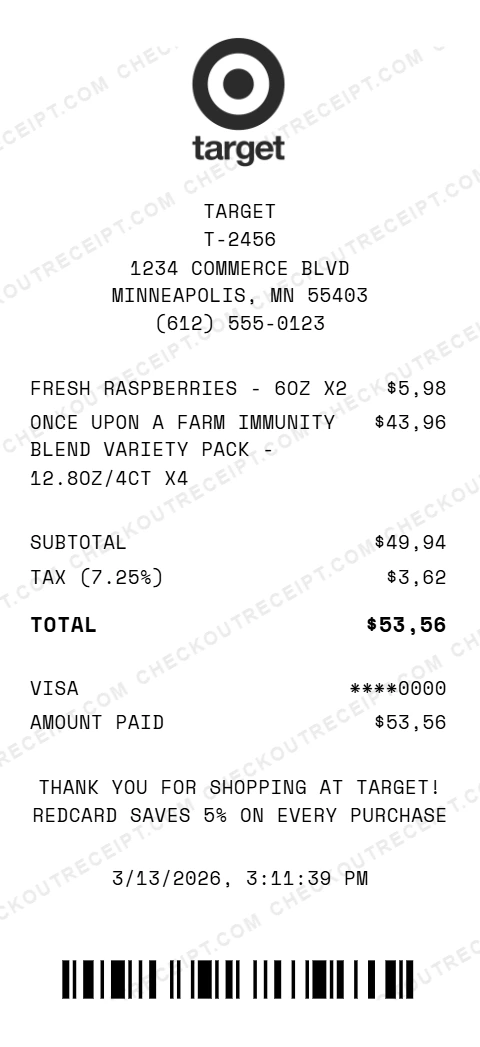
Target Frozen Food Receipt Example
This receipt shows a frozen food run with a Target Circle loyalty discount applied at checkout. It demonstrates how the Circle savings line item appears as a negative amount on the receipt, reducing the subtotal before tax is calculated. The two frozen items, a premium pizza and shrimp spring rolls, show typical Target frozen food formatting.
Receipt Breakdown
What Makes This Receipt Realistic
- • Target Circle savings displayed as a negative line item
- • Frozen food items with brand, product name, and weight in ounces
- • Quantity multiplier (x2) on the spring rolls
- • Tax calculated on the discounted subtotal, not the original amount
- • Standard Target receipt footer with REDcard promotion message
- • Accurate date, timestamp, and barcode
Frequently Asked Questions
How do Target Circle savings appear on a receipt?
Target Circle savings appear as a separate line item with a negative dollar amount, shown as TARGET CIRCLE SAVINGS followed by the discount (e.g., $-2.50). The discount is subtracted from the subtotal before tax is calculated.
Can I add discounts and coupons to a generated receipt?
Yes. Add a line item with a negative price to represent any discount: Target Circle savings, manufacturer coupons, or promotional markdowns. The generator calculates the correct subtotal and tax automatically.
How does Target format frozen food items on receipts?
Frozen food items appear in ALL CAPS with the brand name, product name, flavor or variant, and weight in ounces. For example: DI FARA VODKA SAUCE 12" FROZEN PIZZA - 16.1OZ. The format is identical to all other grocery items.